

Scheduling Online Software Made Easy with Google Forms
Looking for a simple, free, and easy way to book appointments online? Google Forms can help you create a basic scheduling online software system that keeps your calendar organized and lets customers book appointments online.
Whether you’re a freelancer, startup, or small business owner, here’s how to set up your appointment scheduler software using Google Forms.
Step 1: Create Your Google Form 📝
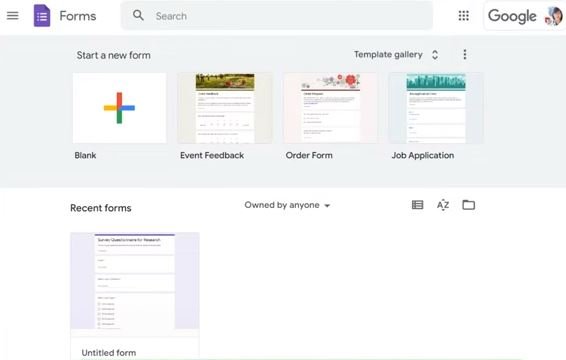
Visit Google Forms and click Blank Form.
-
Add a title like “Book Your Appointment with [Your Business Name]”
-
Include a short description explaining how customers can schedule
Step 2: Collect Customer Information 👤
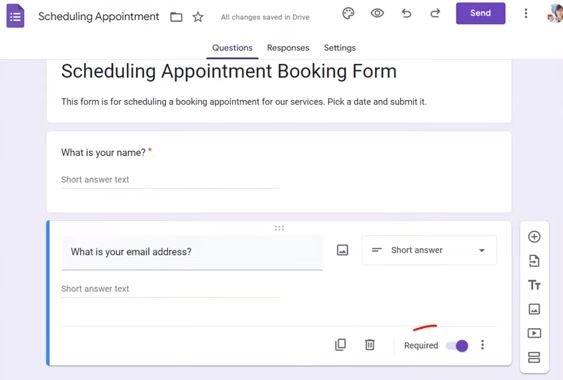
Add questions to gather:
-
Full Name (Short answer)
-
Email Address (Short answer)
-
Phone Number (Optional)
-
Service Selection (Dropdown or multiple choice)
💡 Make fields required to avoid missing information.
Step 3: Set Up Appointment Days and Times 📅
-
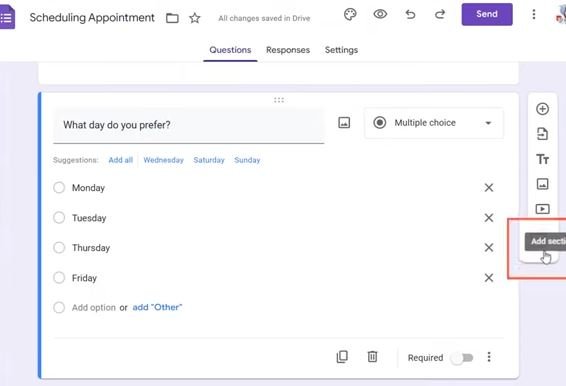
Create a section for available days
-
Add a dropdown question for time slots
-
Use “Go to section based on answer” to direct users to the correct day
This allows customers to choose their preferred appointment slot easily.
Step 4: Prevent Double Bookings ⛔
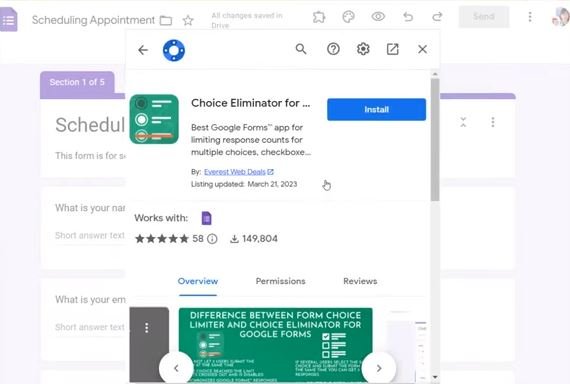
Use the free Choice Eliminator Lite plugin to:
-
Remove booked slots automatically
-
Keep your schedule organized and error-free
Step 5: Share Your Form 📤
Click Send to share via:
-
Email
-
Website embed
-
WhatsApp
Your customers can now book appointments online, and all submissions are saved in Google Sheets for easy tracking.
Why Use Scheduling Online Software Like Google Forms? 🌟
Google Forms is:
-
Free – no subscription needed
-
Simple – easy for both you and customers
-
Customizable – set services, dates, and times
-
Accessible – works on desktop and mobile
Upgrade to Professional Scheduling Online Software 🚀
While Google Forms works for basic needs, professional tools like Amelia or Bookly offer:
-
Automated reminders via email/SMS
-
Online payments
-
Multiple staff calendars
-
Advanced booking management
For a custom, fully automated scheduling system, our team at Need Booking Site can help.
📞 Contact Us or message us on WhatsApp today to set up your professional appointment scheduler!
Need a more advanced scheduling online software? At Need Booking Site, we create custom online appointment booking websites with:
-
Mobile-friendly design
-
Payment integration
-
Automated reminders
-
Staff calendar management
-
Fully SEO-optimized pages
📩 Reach out now and start taking online bookings like a pro!
