

Creating an Online Form: The Step-by-Step Guide for Growth
When you are a business owner, your website’s most important job is starting a conversation. Creating an online form is the fastest way to turn a random visitor into a high-quality lead. Whether you’re a plumber, a consultant, or a local repair hero, a “Get a Quote” form acts as your 24/7 digital receptionist.
But you don’t need to be a tech genius to build one. Below is a simple breakdown of how to set up a form that actually converts visitors into customers.
Demo Example: Home Repair “Get a Quote” Form
Go to Google form, docs.google.com/forms
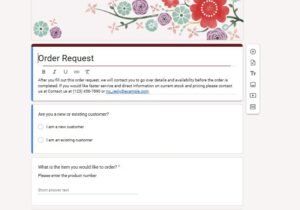
Imagine you run a home repair or handyman business. You don’t just want a “Contact Us” box; you want specific details so you can give an accurate estimate. Here is what a professional lead-capture flow looks like:
Form Title: 🛠️ Request a Free Repair Estimate Description: Tell us what needs fixing, and we’ll get back to you with a quote within 24 hours.
The Fields You Need:
-
Name: (Short Answer)
-
Phone Number: (Short Answer – for quick follow-ups)
-
Repair Category: (Dropdown Menu)
-
Plumbing
-
Electrical
-
Carpentry/Drywall
-
Roofing
-
-
Project Description: (Paragraph – “Please describe the issue in detail”)
-
Urgency: (Multiple Choice)
-
Emergency (Needs fix today!)
-
This week
-
Just looking for a quote
-
-
Photo Upload: (File Upload – “Upload a photo of the damage to help us quote accurately”)
How to Set This Up (The Quick Way)
If you are creating an online form for the first time, Google Forms is the easiest place to start.
-
Open Google Forms: Click the “+” to start a new form.
-
Add Your Questions: Use the “Dropdown” option for your service categories to keep the form clean.
-
Use “Required” Toggles: Always make the Phone Number and Repair Category “Required” so you don’t waste time chasing incomplete leads.
-
Enable Email Notifications: Go to the “Responses” tab, click the three dots, and select “Get email notifications for new responses.” This ensures you never miss a lead.
Why a Basic Form Eventually Fails Your Business
Creating an online form is a great first step, but as your business grows, basic forms can actually cause headaches:
-
The Double-Booking Trap: A basic form can’t see your calendar. You might get five “emergency” repair leads for the same Tuesday morning.
-
Manual Invoicing: You have to manually call or email every lead to discuss pricing.
-
No Instant Payments: You can’t take a “booking deposit” to ensure the customer is serious.
Let Us Create a Professional Booking Site for You
If you are ready to stop managing spreadsheets and start automating your income, you need more than just a form—you need a Booking Engine.
At Need Appointment Booking Site, we build professional platforms that don’t just “collect info”—they close the deal. We can set up a site for you that handles live scheduling, prevents double-bookings, and takes payments upfront.
Ready to upgrade your business? Our Website: Contact Us – Need Appointment Booking Site WhatsApp Us: +8801679502830 Email: rahman22ts@gmail.com
